Calling and PBX
SIP accounts, call routing, extensions, ring groups, queues, IVR, voicemail, call recording, call park, business hours, holidays, emergency calling models, and PSTN gateway readiness.
Pale means "to speak" in Haitian Creole
Free, open source communications software for teams that want to speak freely. Run your own calling, chat, meetings, files, PBX workflows, and compliance controls without pretending the hard enterprise dependencies are magic.
Palephone brings the day-to-day communication surface together while keeping provider choices visible and under tenant control.
SIP accounts, call routing, extensions, ring groups, queues, IVR, voicemail, call recording, call park, business hours, holidays, emergency calling models, and PSTN gateway readiness.
Direct messages, rooms, channels, presence, file sharing, scheduled meetings, webinar records, lobby, polls, Q&A, reactions, whiteboard records, transcripts, and attendance.
Uploads, downloads, folders, file versions, locks, wiki pages, tasks, approvals, tabs, apps, bots, connectors, custom emojis, federation records, and automation records.
These screenshots are from the current Pale desktop client connected to drcpbx.com. They show the calling surface, admin sign-in state, and the grouped admin console.
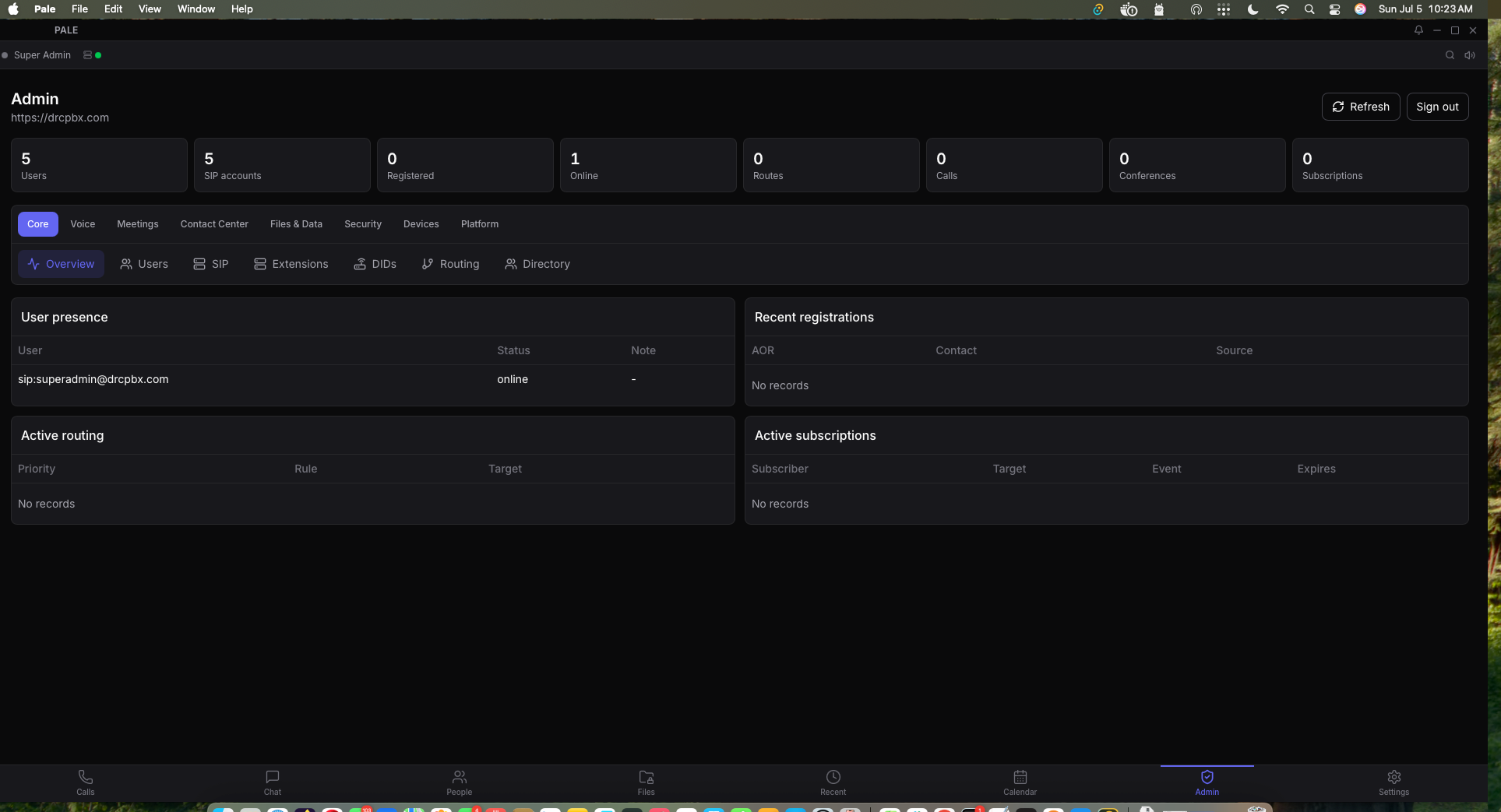
Super admins can manage PBX resources, user presence, SIP records, routing, calls, conferences, and platform controls from the desktop client.
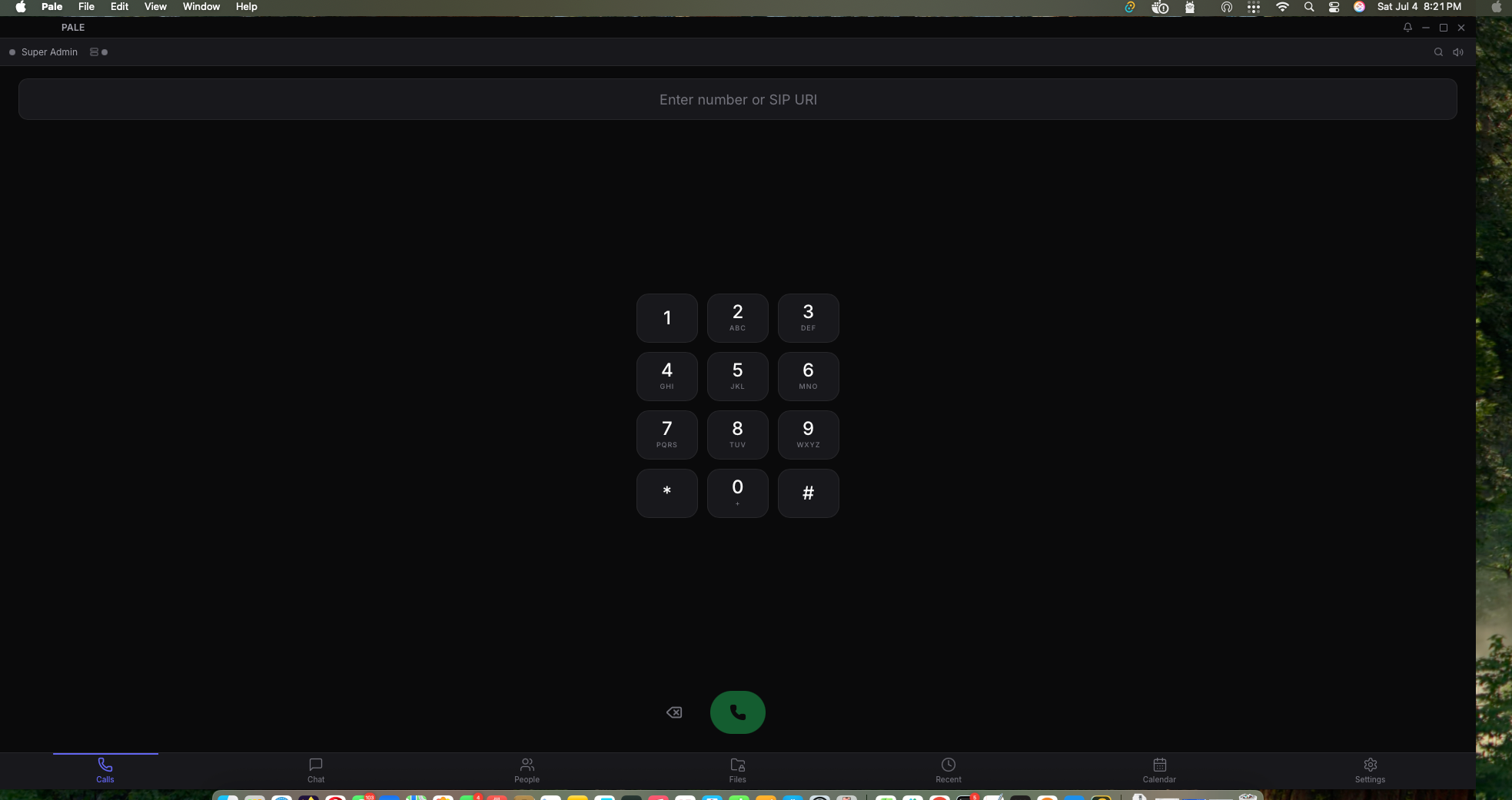
The main client keeps calls, chat, people, files, recent activity, calendar, admin, and settings in one workspace.
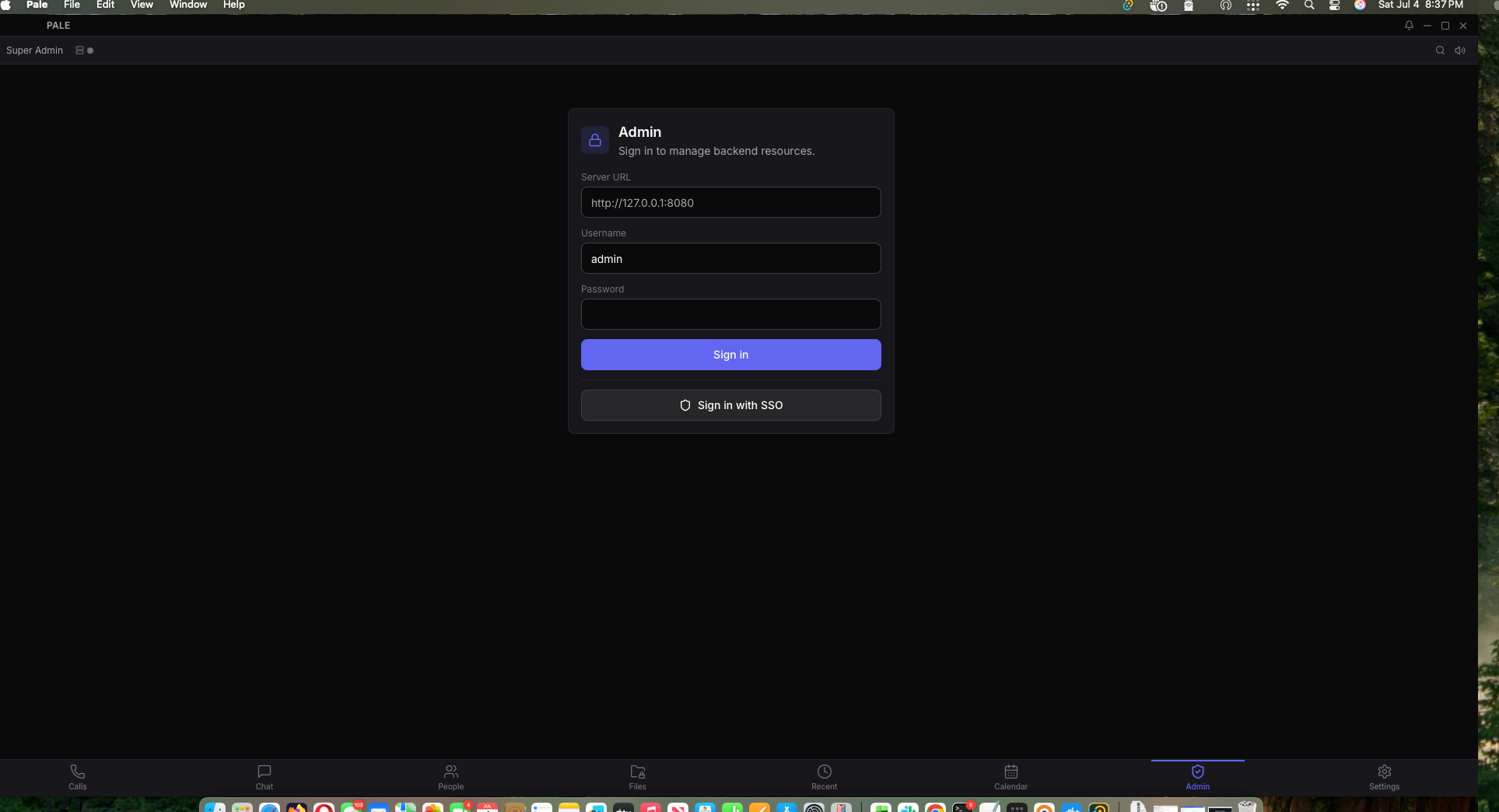
Admin features are role-based and connect to the backend server URL configured for the signed-in deployment.
Palephone includes the admin and governance surfaces expected in serious deployments, and it shows which outside systems still need to be installed or connected.
Retention, eDiscovery, DLP, ATP quarantine records, compliance reviews, audit logs, sensitivity labels, information barriers, data residency records, MFA/session APIs, SSO records, and security score reporting.
Admin reports track readiness, health, provider probes, validation, and deployment plans for systems such as LLM, STT, TTS, storage, malware scanning, CASB, PSTN, E911, and broadcast media.
Provider contracts are not the same as certified integrations. Production use still needs real services such as Matrix, coturn, PostgreSQL, ClamAV or YARA, Whisper or Vosk, Ollama or vLLM, storage providers, and carrier/E911 providers.
Installers are available for the current public builds hosted on drcpbx.com. The server API is running at this domain, and the desktop/mobile clients can be pointed at this host during setup.
Use the Linux repositories when you want package-managed installs instead of
loose downloads. The client package is named pale. The
server package is named pale-server and installs the
systemd unit, service user, and example configuration file.
Add the signed APT repository, update package metadata, then install the client, the server, or both.
curl -fsSL https://drcpbx.com/pale-repo.gpg | sudo tee /usr/share/keyrings/pale-repo.gpg >/dev/null
echo "deb [arch=amd64 signed-by=/usr/share/keyrings/pale-repo.gpg] https://drcpbx.com/apt stable main" | sudo tee /etc/apt/sources.list.d/pale-server.list
sudo apt update
sudo apt install pale
# Server operators can also install:
sudo apt install pale-server
Add the DNF repository file, refresh metadata, then install the client, the server, or both. RPM package signing is not enabled yet, so keep the checksum file handy for release verification.
sudo curl -fsSL https://drcpbx.com/rpm/pale-server.repo -o /etc/yum.repos.d/pale-server.repo
sudo dnf makecache
sudo dnf install pale
# Server operators can also install:
sudo dnf install pale-server
curl -fsSL https://drcpbx.com/downloads/pale-client-SHA256SUMS.txt
Windows note: /downloads/Pale-Windows-Client.zip is the recommended client download because some browsers block unsigned raw .exe files before they reach disk. The raw installer remains available at /downloads/Pale-Setup.exe for manual validation. Checksums for desktop clients are published at /downloads/pale-client-SHA256SUMS.txt.
Android note: /downloads/Pale.apk is the v0.1.6
sideload-signed APK (APK Signature Scheme v2/v3). The same
binary is at /downloads/current/Pale_0.1.6_android.apk.
Checksums: /downloads/pale-android-SHA256SUMS.txt. If you
installed an older APK with a different certificate, uninstall it first.
Enable Install unknown apps for your browser/Files app on Android 14+.
The current built-in SIP registrar path requires
PALE_SIP_BACKEND=udp-parser and the explicit
development fallback gate for insecure UDP parsing. The default
server runtime uses the PJSIP transport path and does not advertise
itself as a client registrar.
These notes track what is actually published on drcpbx.com today: client installers, server binaries, Linux package repositories, and the operational limits that still matter for production.
This build fixes the single sign-in path. When a user signs in to Pale Server, the desktop client now provisions the matching SIP account, stores the SIP credential in the operating system keychain, and registers the account for calling without asking for a second login.
SIP account is not registered yet.5061.0.1.4./downloads/pale-client-SHA256SUMS.txt. The DNF
client package is pale-0.1.4-1.x86_64.rpm.
This desktop client build tightens the default calling path and cleans up the compact chat composer. New and reconnected clients now register to Pale Server with SIP over TLS on port 5061 when no explicit registrar port is provided.
https://drcpbx.com, and provisioned SIP accounts normalize to sips: on port 5061.0.1.3./downloads/pale-client-SHA256SUMS.txt. The DNF
client package is pale-0.1.3-1.x86_64.rpm.
This is the current public Pale Server build available from the APT and DNF repositories and from the direct Linux server download. Windows now has a Pale Server setup installer that creates the local service wrapper, config directory, shortcuts, and local secret file.
apt or dnf.pale-server binary, service user, systemd unit, and example environment file./etc/pale/pale-server.env with their own secrets and network settings.sudo apt update, then install or upgrade pale-server.sudo dnf makecache, then install or upgrade pale-server./apt/dists/stable/InRelease./rpm/pale-server.repo./downloads/pale-server-SHA256SUMS.txt.This previous desktop build refreshed startup login, SIP registration, and shell navigation behavior. It remains listed for history; the current download links now point to 0.1.4.
/downloads/pale.deb and /downloads/Pale_0.1.2_amd64.deb, and as package pale in the APT repository./downloads/Pale-Windows-Client.zip; MSI and raw setup files are also published as /downloads/Pale-Windows.msi and /downloads/Pale-Setup.exe.pale-0.1.2-1.x86_64.rpm in the DNF repository and wraps the CI-built AppImage.https://drcpbx.com during setup.PALE_SIP_BACKEND=pjsip is configured without a native PJSIP-enabled server build, Pale Server keeps the HTTP API running and disables the SIP listener instead of falling back silently.These notes are meant for operators, not brochure readers. They cover the parts people usually need first: installing the server, creating users, pointing clients at the right host, and fixing the most common setup problems.
Docker Compose is the quickest Linux path in this repository. It runs Pale Server with PostgreSQL, coturn, and NATS, then exposes the HTTP API on port 8090 and SIP on 5060/5061. Use this when you want the bundled stack managed together.
.env, then start the stack.git clone https://github.com/loreste/palephone.git cd palephone ./scripts/generate-secrets.sh docker compose up -d curl http://localhost:8090/health
PALE_SERVER_TOKEN, PALE_ADMIN_PASSWORD, and PALE_STORAGE_KEY are required and must be at least 24 characters.PALE_DATABASE_URL points Pale Server at PostgreSQL. Docker Compose sets this for you.PALE_SIP_EXTERNAL_ADDR should be passed to Pale Server for remote SIP clients, especially when using a registrar path.PALE_SIP_BACKEND=pjsip requires a native PJSIP-enabled server build. The packaged server keeps the API online and disables the SIP listener if that native backend is unavailable. The udp-parser backend is a development fallback and requires PALE_ALLOW_INSECURE_SIP_UDP=1.PALE_HTTP_TLS_CERT and PALE_HTTP_TLS_KEY.
Open only the ports your deployment actually uses.
The production package repositories are hosted on
drcpbx.com. Packages install the
pale-server binary, a systemd unit, and an
example environment file. They do not auto-start the service,
because the server must be configured with your own secrets,
database URL, TLS choices, and network settings first.
The APT repository is signed with the Pale repository key. This package depends on the runtime libraries Pale Server needs and recommends PostgreSQL and coturn.
curl -fsSL https://drcpbx.com/pale-repo.gpg | sudo tee /usr/share/keyrings/pale-repo.gpg >/dev/null
echo "deb [arch=amd64 signed-by=/usr/share/keyrings/pale-repo.gpg] https://drcpbx.com/apt stable main" | sudo tee /etc/apt/sources.list.d/pale-server.list
sudo apt update
sudo apt install pale
# Server operators can also install:
sudo apt install pale-server
The RPM repository is available for x86_64 systems. The RPM package declares the runtime libraries needed by the current server binary, including glibc and CA certificates, and recommends PostgreSQL and coturn. RPM package signing is not enabled yet, so verify the package checksum from the published checksum file when you deploy.
sudo curl -fsSL https://drcpbx.com/rpm/pale-server.repo -o /etc/yum.repos.d/pale-server.repo
sudo dnf makecache
sudo dnf install pale
# Server operators can also install:
sudo dnf install pale-server
curl -fsSL https://drcpbx.com/downloads/pale-client-SHA256SUMS.txt
Both packages create a locked-down service user and install
/etc/pale/pale-server.env.example. Copy it to the
live environment file, replace every placeholder secret, then
start the service.
sudo cp /etc/pale/pale-server.env.example /etc/pale/pale-server.env
sudo editor /etc/pale/pale-server.env
sudo chown root:pale /etc/pale/pale-server.env
sudo chmod 0640 /etc/pale/pale-server.env
sudo systemctl enable --now pale-server
sudo systemctl status pale-server
curl http://127.0.0.1:8080/health
PALE_SERVER_TOKEN, PALE_ADMIN_PASSWORD, and PALE_STORAGE_KEY must be strong values with at least 24 characters.PALE_DATABASE_URL should point to your PostgreSQL database for production.PALE_HTTP_ADDR=127.0.0.1:8080 is a good default when Nginx, Caddy, or another reverse proxy terminates HTTPS.PALE_SIP_EXTERNAL_ADDR should be set when remote SIP clients need to reach this server.
Operators who do not want a package manager can download the
release artifacts directly. The current server binaries were
built on the production host from commit 8977191.
You can run Pale Server directly on Linux without Docker. In that model, Pale Server is just a native binary managed by systemd, while PostgreSQL, coturn, TLS certificates, backups, and optional services such as NATS are installed and operated separately.
sudo apt update
sudo apt install -y build-essential pkg-config python3 nasm \
  libssl-dev libasound2-dev libopus-dev uuid-dev libclang-dev clang \
  postgresql postgresql-contrib coturn curl git
Install Rust with the stable toolchain before building the server. On production hosts, pin the Rust version in your build process instead of building from an untracked shell history.
sudo -u postgres createuser --pwprompt pale
sudo -u postgres createdb -O pale pale
git clone https://github.com/loreste/palephone.git
cd palephone/src-tauri/crates/pale-server
cargo build --release --bin pale-server
sudo install -m 0755 ../../target/release/pale-server /usr/local/bin/pale-server
id -u pale >/dev/null 2>&1 || sudo useradd --system --home /var/lib/pale --create-home --shell /usr/sbin/nologin pale
sudo install -d -o root -g pale -m 0750 /etc/pale
sudo install -d -o pale -g pale -m 0750 /var/lib/pale
/etc/pale/pale-server.envPALE_HTTP_ADDR=127.0.0.1:8080 PALE_SIP_ADDR=0.0.0.0:5060 PALE_DATA_DIR=/var/lib/pale PALE_DATABASE_URL="host=localhost user=pale password=replace-with-db-password dbname=pale" PALE_SERVER_TOKEN=replace-with-strong-token-24-plus-chars PALE_ADMIN_PASSWORD=replace-with-strong-admin-password PALE_STORAGE_KEY=replace-with-strong-storage-key PALE_ADMIN_USERNAME=admin PALE_SIP_BACKEND=pjsip RUST_LOG=info
sudo chown root:pale /etc/pale/pale-server.env
sudo chmod 0640 /etc/pale/pale-server.env
sudo tee /etc/systemd/system/pale-server.service >/dev/null <<'EOF'
[Unit]
Description=Pale Server
After=network-online.target postgresql.service
Wants=network-online.target

[Service]
User=pale
Group=pale
EnvironmentFile=/etc/pale/pale-server.env
ExecStart=/usr/local/bin/pale-server
Restart=on-failure
RestartSec=5
NoNewPrivileges=true
PrivateTmp=true
ProtectSystem=full
ReadWritePaths=/var/lib/pale

[Install]
WantedBy=multi-user.target
EOF

sudo systemctl daemon-reload
sudo systemctl enable --now pale-server
curl http://127.0.0.1:8080/health
The recommended Windows path is the Pale Server setup
installer. It installs the server binary, adds the Pale logo,
creates a Windows service through WinSW, writes local config
under C:\\ProgramData\\Pale Server, and keeps
generated secrets on the machine.
The manual zip and direct executable remain available for operators who already have their own service management and configuration process.
$env:PALE_SERVER_TOKEN = "replace-with-strong-token-24-plus-chars"
$env:PALE_ADMIN_PASSWORD = "replace-with-strong-admin-password"
$env:PALE_STORAGE_KEY = "replace-with-strong-storage-key"
$env:PALE_HTTP_ADDR = "0.0.0.0:8080"
$env:PALE_DATABASE_URL = "host=localhost user=pale password=... dbname=pale"
C:\Pale\Server\pale-server.exe
Verify with curl http://localhost:8080/health.
If Windows Firewall is enabled, allow the HTTP API and any
SIP/TURN ports you plan to expose.
Pale Server ships with an admin account controlled by
PALE_ADMIN_USERNAME and PALE_ADMIN_PASSWORD.
You can also create users through the server CLI.
docker compose exec pale-server pale-server user create \
  --username sip:admin@example.com \
  --display-name "Admin" \
  --password "replace-with-a-strong-password" \
  --role admin
On a bare-metal Linux server, load the same environment file first so the CLI connects to the same data store:
set -a
. /etc/pale/pale-server.env
set +a
pale-server user create \
  --username sip:admin@example.com \
  --display-name "Admin" \
  --password "replace-with-a-strong-password" \
  --role admin
admin.curl https://your-domain.example/health
A healthy server returns JSON with ok,
service, and status fields.
We recommend TLS anywhere Pale is reachable outside a trusted local machine. The server handles sign-in, bearer tokens, admin actions, files, call records, presence, and meeting data. Sending that over plain HTTP makes credentials and session traffic easier to intercept.
The simplest production pattern is to terminate HTTPS at a
reverse proxy such as Nginx, Caddy, or Traefik, then proxy to
Pale Server on localhost or a private network. Pale Server can
also serve TLS directly when PALE_HTTP_TLS_CERT
and PALE_HTTP_TLS_KEY are set.
PALE_HTTP_ADDR=0.0.0.0:8080
PALE_HTTP_TLS_CERT=/etc/letsencrypt/live/your-domain/fullchain.pem
PALE_HTTP_TLS_KEY=/etc/letsencrypt/live/your-domain/privkey.pem
SIP TLS should be used when SIP traffic crosses networks you
do not fully control. Set PALE_SIP_TLS_CERT and
PALE_SIP_TLS_KEY to enable SIP TLS, and expose
port 5061 only when your deployment actually uses it.
PALE_SIP_TLS=true
PALE_SIP_TLS_CERT=/etc/letsencrypt/live/your-domain/fullchain.pem
PALE_SIP_TLS_KEY=/etc/letsencrypt/live/your-domain/privkey.pem
PALE_SIP_TLS_PORT=5061
/health.sip:name@domain when the user was created that way.admin.PALE_SIP_EXTERNAL_ADDR to Pale Server with the public SIP host and port clients should use.PALE_SIP_BACKEND=udp-parser plus PALE_ALLOW_INSECURE_SIP_UDP=1 only when you intentionally accept the current fallback parser path.PALE_TURN_SERVER, PALE_TURN_USERNAME, PALE_TURN_PASSWORD, and PALE_TURN_REALM.Pale gives you the communications surface and the admin hooks, but a production deployment still needs real infrastructure around it: DNS, TLS certificates, backups, monitoring, a TURN relay, PostgreSQL, and any external providers you decide to use for AI, speech, malware scanning, storage, PSTN, or E911.
.env and generated secrets out of Git.PALE_SERVER_TOKEN and admin passwords when staff changes.